
Hello, In this tutorial I will show you how to set your panoramic image become default and first loading panoramic image in your virtual tour.
To do this, you should hover your panoramic image that you want to become default. Then you can see a 4 button. From that 4 button you should select  icon.
icon.
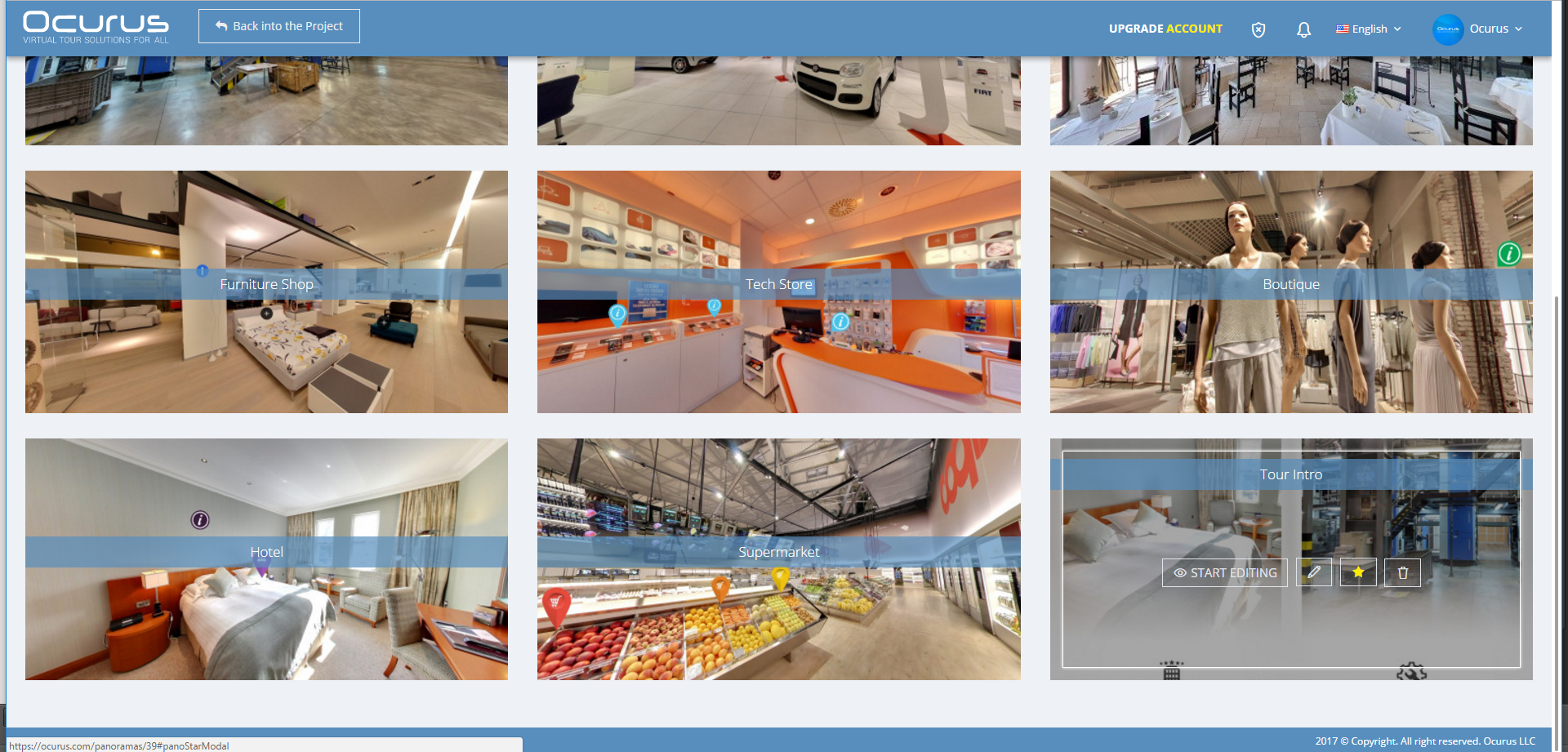
After you click on the "Star" icon, "Default Panorama Editor" window will pops out. From this window, you should enable the first switch controller to become a current panorama default.
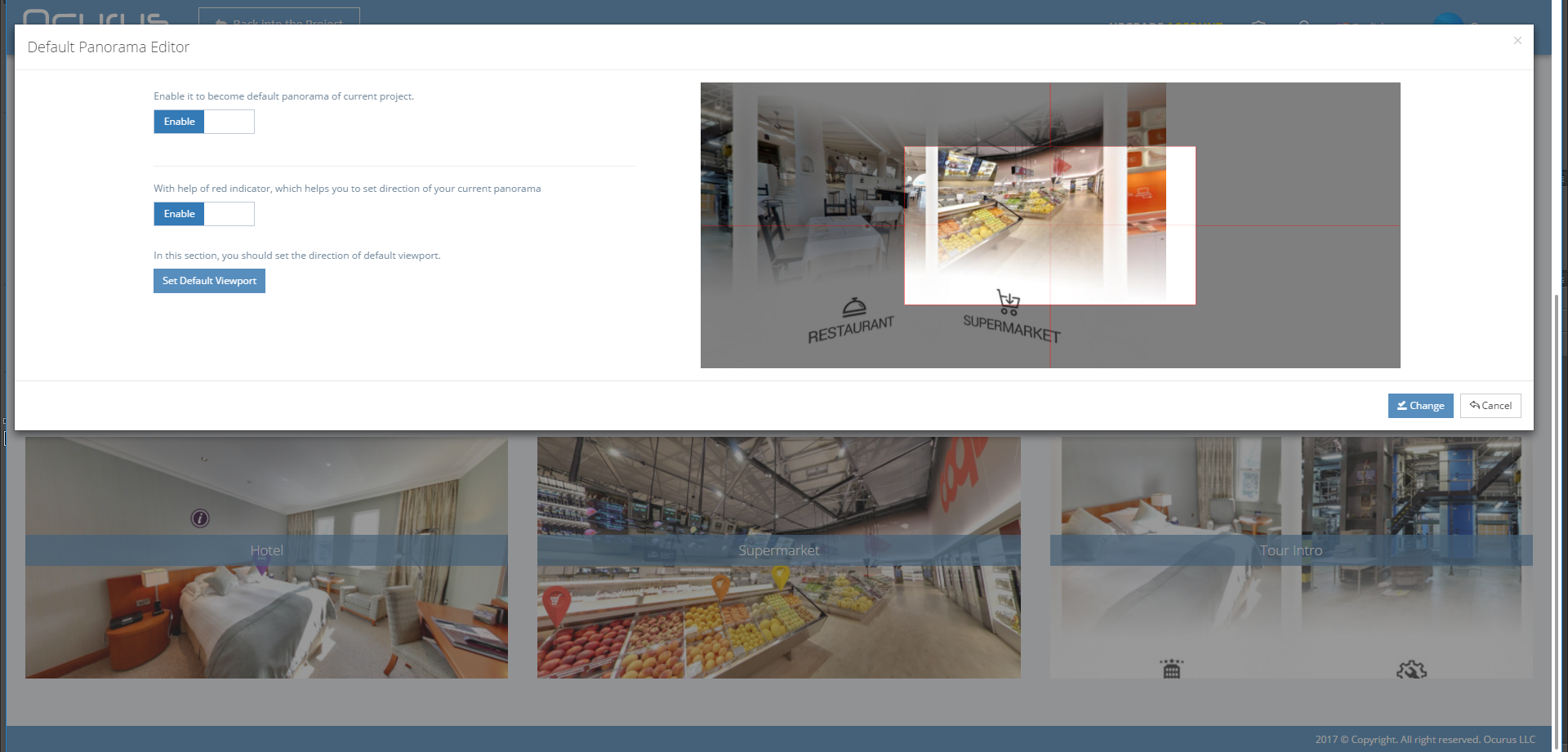
On the below section of "Default Panorama Editor" window, you can set a default viewport of your current panoramic view. To do this, you should just drag a right side image to positioning your desired viewport and click "Set Default Viewport" button to make it set.